Face Swap
Video Tools
Image Tools
Face Swap
Video Tools
Image Tools
Use Gemini watermark remover to clear distracting marks from AI-generated images in seconds.
Supports JPEG, PNG, WebP photos (Max 20MB). Results keep your original detail while removing marks.
Remove watermarks from Gemini-generated images in just three simple steps.

Add the picture you want to edit, and let the tool detect the watermark area for a smoother and faster cleanup flow.
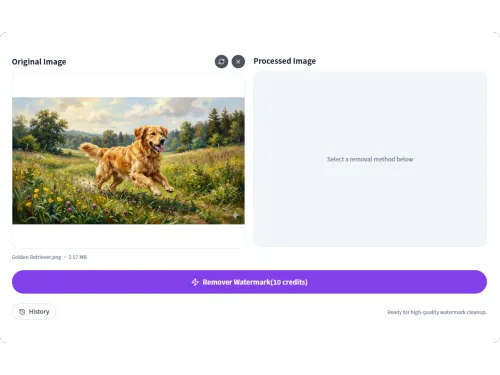
AI will automatically select the watermark area, start the cleanup, and rebuild the image so the edited area blends in naturally.

Review the result, make quick refinements if needed, and download a cleaner image ready for sharing or reuse.
Discover practical ways to use Gemini Watermark Remover for cleaner visuals across different projects.


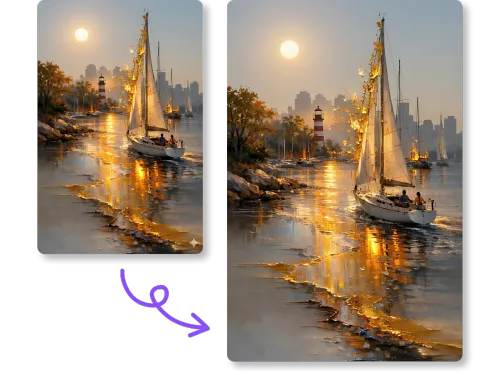
Find out why our Gemini Watermark Remover delivers a better balance of speed, accuracy, and image quality.
See how real users rate Gemini Watermark Remover for speed, ease of use, and clean image results.
I use Gemini watermark remover for blog drafts, landing page ideas, and ad concepts. The workflow feels quick, and the result usually gives me a polished base image that needs very little extra editing before publishing.
What stands out to me about Gemini watermark remover AI is that it tries to rebuild the edited area instead of leaving an obvious smudge. That makes it more helpful for concept boards, social visuals, presentation drafts, and client work.
I tested Gemini watermark remover free on several AI images with distracting overlays and corner marks. The process was simple, the cleanup was usable, and the final images worked well for thumbnails, post concepts, and campaign layouts.
Unlock more ways to improve your workflow with smart and easy-to-use tools in AISaver.
Get quick answers about using Gemini Watermark Remover, including features, image quality, and watermark removal results.
Remove Gemini watermarks in seconds and get cleaner, sharper images with an easy AI-powered workflow.